
Custom Software Development 101: A Small Business Owner’s Guide to Mastering Your First Build

You're drowning in spreadsheets. Your team is toggling between five different tools just to complete one workflow. Your customers are asking for features that your current software simply can't deliver.
Welcome to the point where off-the-shelf solutions stop working.
Custom software development isn't just for enterprise companies with massive budgets anymore. It's become a competitive necessity: 85% of organizations already use bespoke solutions tailored to their specific needs. But here's the catch: most small business owners approach their first build completely unprepared.
This guide changes that.
When Custom Software Actually Makes Sense
Not every problem needs a custom solution. Before you invest a single dollar, ask yourself these questions:
Are you trying to force three different tools to talk to each other? If you're spending hours manually transferring data between your CRM, project management platform, and accounting software, you need integration: possibly through Airtable automation or workflow tools like n8n vs Zapier.
Is your process so unique that no template exists? Generic software works for generic businesses. If your competitive advantage relies on a proprietary workflow, custom development becomes your moat.
Have you outgrown the "good enough" phase? There's a lifecycle here. You start with free tools, upgrade to paid subscriptions, hit feature limits, then realize you're paying for 80% of features you don't use while missing the 20% you desperately need.
The tipping point? When the cost of workarounds exceeds the cost of building it right.

The Development Process: What Actually Happens
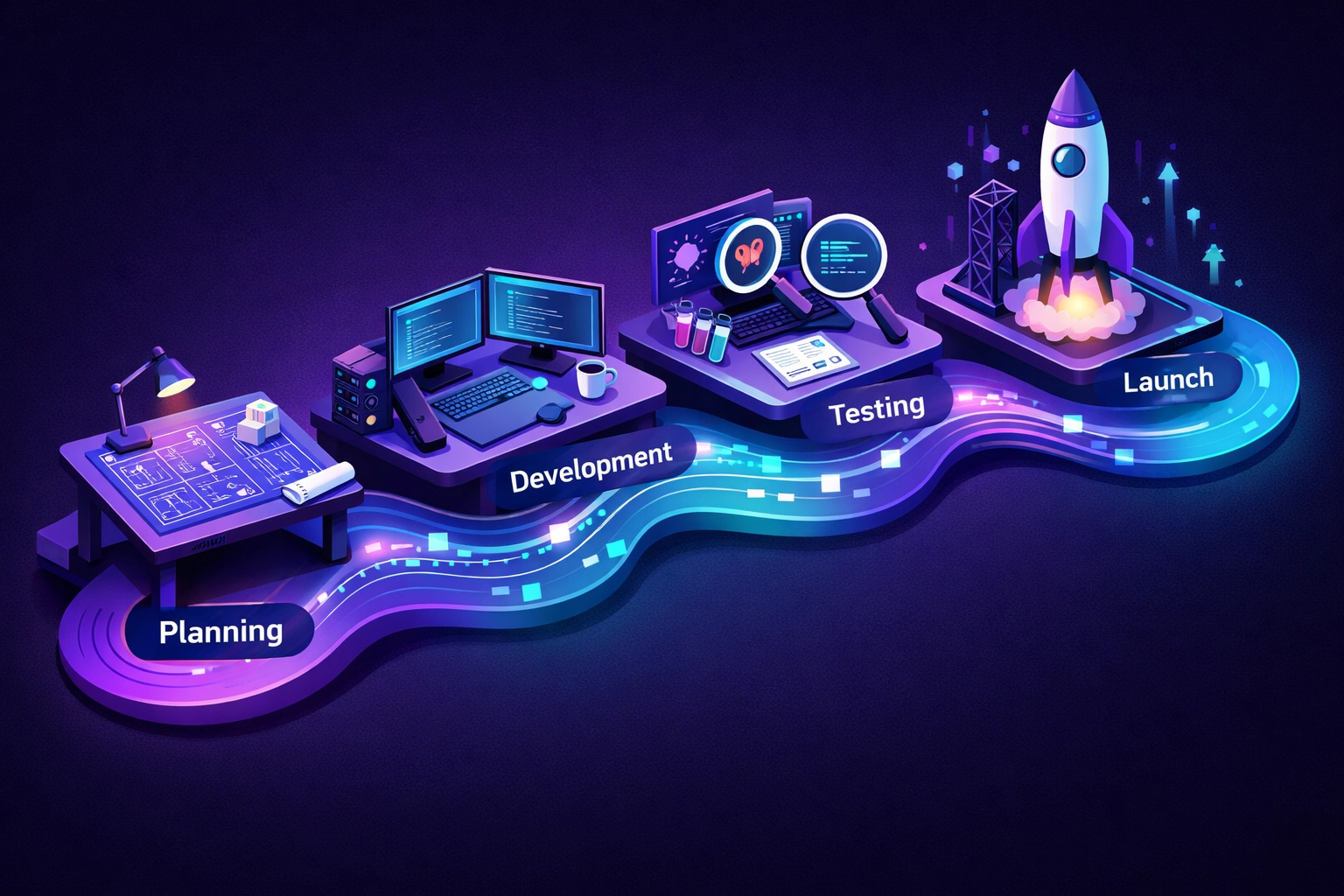
Custom software development follows a structured path, but it's not as mysterious as vendors make it sound.
Discovery & Planning (1-4 Weeks)
This phase separates successful projects from expensive failures. Your development team: like the experts at Yotomations: will dig into your business objectives, current workflows, and pain points. Not surface-level stuff. Deep questioning.
What are you trying to achieve? Who will use this software? What happens if this feature fails? What's your timeline and budget reality?
Avoid the trap of vague requirements. "I want an app like Uber but for dog walking" tells developers nothing about your actual business logic.
Requirements Analysis: The Most Critical Phase
Here's where you transform ideas into specifications. Your development team documents everything: functional requirements (what the software does), non-functional requirements (how it performs), security needs, scalability expectations, and user experience flows.
This stage includes competitor analysis. Why reinvent features that already work? More importantly, it identifies where you can differentiate.
Design: Building the Blueprint
Think of this as architectural drawings before construction. Your team creates wireframes, user interface mockups, and technical architecture diagrams. You'll see exactly how users will navigate your software and how data flows through the system.
This is your last cheap opportunity to make changes. Once development starts, modifications get exponentially more expensive.
Development: Code Becomes Reality
Your requirements become a working product. Modern development teams use Agile methodology, building feature by feature rather than waiting months to see anything. You get working software in iterations: typically 2-week sprints.
Want to integrate AI chatbots for customer service? This phase determines the tech stack, builds the conversational logic, and connects everything to your existing systems.
Testing & Quality Assurance
Robust testing catches bugs before your customers do. Functional testing (does it work?), usability testing (can humans actually use it?), security testing (can hackers break it?), and performance testing (does it scale?).
Skip this phase at your peril. Launching buggy software damages credibility faster than anything else.
Deployment & Launch
Your software goes live. Cloud-native solutions simplify this process: no physical servers to manage, automatic scaling, and built-in redundancy.
The Planning Decisions That Actually Matter
Define Success With Precision
"Increase efficiency" means nothing. "Reduce order processing time from 15 minutes to 3 minutes" gives your team a clear target. Establish SMART metrics before development starts: revenue growth, cost savings, user adoption rates, customer satisfaction scores.
Review ROI quarterly. Is the software delivering value? Where can you optimize?
Calculate True Cost of Ownership
Initial development is just the beginning. Factor in:
- Monthly hosting and infrastructure costs
- Ongoing maintenance and updates
- Security patches and compliance requirements
- Feature enhancements as your business evolves
- Training for new team members
- Potential integration costs with future tools
A $30,000 build might cost $500-2,000 monthly to operate depending on complexity and scale.

Build Your MVP First
You don't need 100 features on day one. Identify the absolute must-haves: the features that deliver 80% of the value. Build those. Launch fast. Gather real user feedback. Then iterate.
This approach saves money and prevents building features nobody wants.
Working With Developers: Communication is Everything
Choose the Right Partner
When evaluating development vendors, dig into their quality assurance practices. What testing methodologies do they use? What happens after launch? Do they offer support?
Verify their customization and scalability capabilities. Can they build what you need today while allowing room for growth tomorrow?
Request Transparent Documentation
Your development team should provide inline code comments explaining logic and algorithms. Industry-standard documentation practices ensure knowledge transfer if you ever need to switch developers.
This isn't optional. Undocumented code becomes technical debt.
Embrace Agile Project Management
With Agile, you see progress incrementally. The most critical features get prioritized first. You can test early versions, provide feedback, and adjust direction before investing months into the wrong solution.
Traditional waterfall development (build everything, then launch) might seem simpler, but it's riskier. You don't discover problems until it's too late.
Integration: Making Everything Work Together
Your custom software doesn't exist in isolation. It needs to communicate with your existing tools.
APIs and Web Services provide standard integration technologies. Think of APIs as translators: they allow different software systems to exchange information seamlessly.
iPaaS Platforms like Boomi or Celigo offer low-code flexibility for complex integrations. These tools bridge the gap between custom software and popular business applications without extensive coding.
Workflow Automation Tools like n8n or Zapier connect your custom software to hundreds of other apps. Need your custom CRM to automatically create tasks in your project management tool? Workflow automation handles it.
For critical integrations requiring high control and performance, custom APIs provide the most robust solution.

The Reality Check
Custom software development isn't magic. It's expensive, time-consuming, and requires active involvement from your team. But when you've exhausted off-the-shelf options and your business depends on workflows that don't fit standard templates, it becomes necessary.
The businesses that succeed with custom development share common traits: they define requirements clearly, they communicate openly with developers, they embrace iterative development, and they measure results relentlessly.
Most importantly, they recognize that software is never "finished." It evolves with your business.
Ready to Build?
The gap between needing custom software and actually building it successfully comes down to planning and partnership. Work with a development team that understands your business context, not just technical specifications.
At Yotomations, we specialize in custom software and AI automation for small businesses navigating their first build. We know the questions to ask during discovery because we've guided dozens of companies through this exact process.
Want to explore whether custom development makes sense for your business? Start with our client discovery process where we map your workflows, identify automation opportunities, and provide honest guidance on whether custom software is your best path forward.
Sometimes the answer is no. Sometimes it's "not yet." Sometimes it's "let's start with automation and scale into custom development."
That clarity alone is worth the conversation.
