
5 Steps How to Automate Business Processes and Reclaim 20 Hours a Week (Easy Guide for Busy Owners)

Time is the only resource you can’t buy back. Yet, most small to medium business (SMB) owners spend their days "doing" rather than "leading." They are buried under a mountain of manual data entry, repetitive emails, and fragmented workflows.
At Yotomations, we see it every day: brilliant entrepreneurs acting as glorified secretaries for their own software. It’s a bottleneck that kills growth.
What if you could reclaim 20 hours every single week? That’s half a workweek handed back to you. You could focus on high-level strategy, spend more time with your family, or finally launch that new product line. This isn't a pipe dream. It’s the direct result of systematic business process automation.
Here is the 5-step blueprint to stop the bleed and start scaling.
Step 1: The "Audit of Annoyance" (Identify Your Quick Wins)
You can't automate everything at once. If you try, you’ll break your business. The first step in any successful automation consulting engagement is identifying where the most time is being wasted.
We call this the Audit of Annoyance. Look for tasks that are:
- High Frequency: Done daily or multiple times a day.
- Low Complexity: Requires little to no creative thinking.
- Prone to Human Error: Copy-pasting data between spreadsheets.
- Time Sucking: Anything that takes more than 30 minutes of manual labor per session.
Common culprits include lead follow-ups, invoice generation, and updating CRM records from website forms. If you find yourself thinking, "I hate doing this," you've found your first candidate to automate business processes.
Pro Tip: Ask your team. They know exactly which "busy work" is keeping them from being productive. Identifying these "time thieves" is the foundation of ai automation for small business.
Step 2: Standardize the Chaos (Map Your Workflow)
Automation cannot fix a broken process. If your current workflow is a mess of "sometimes we do this, sometimes we do that," an automated system will simply make that mess happen faster.
Before you touch a single line of code or open a tool, you must map the process.
- Trigger: What starts the process? (e.g., A new lead fills out a form).
- Action: What happens next? (e.g., Lead data is added to a Google Sheet).
- Conditional Logic: Does anything change based on the data? (e.g., If the lead is from a "Enterprise" company, alert the CEO; if not, send an automated intro email).
- Outcome: What is the final goal? (e.g., A meeting is booked).
Standardization is the secret sauce. By creating clear Operating Procedures (SOPs), you create the logic that workflow automation needs to function. Without this, your ai integration services will lack the clarity needed to deliver ROI.

Step 3: Choose Your Weapon (Tools vs. Custom Software)
This is where most owners get stuck. Should you use off-the-shelf tools, or is it time for custom software development?
For many SMBs, the answer lies in a hybrid approach.
- Airtable Automation: Perfect for managing complex data without needing a full-scale database. It’s visual, flexible, and powerful. We often recommend Airtable automation vs. custom software comparisons to help owners decide which path fits their growth trajectory.
- n8n Automation: This is our favorite "Swiss Army Knife." n8n allows for incredibly complex, self-hosted workflows that connect thousands of apps without the high monthly "per-task" costs of other platforms.
- Marketing Automation AI: For lead nurturing and customer engagement, AI-driven tools can personalize communication at a scale no human could match.
If your needs are highly specific or you’re dealing with proprietary data structures, custom software development might be the better long-term investment. It’s about finding the right tool for the job, not just the trendiest one.

Step 4: Execute the Build (AI Integration & Implementation)
Now, we build. This is where the "20 hours saved" starts to manifest.
At Yotomations, we believe in the "Start Small, Grow Fast" philosophy. Don't try to build an autonomous corporation in a weekend. Start with one core integration.
For example, let’s look at marketing automation ai.
- Connect: Link your website to your CRM using n8n automation.
- Enrich: Use an AI service to research the lead’s LinkedIn profile automatically.
- Draft: Have an AI model draft a personalized outreach email based on that research.
- Notify: Ping your sales rep in Slack with the draft ready to go.
This single workflow can save a sales team 10+ hours a week in research and drafting time alone. This is the power of ai integration services. We aren't just moving data; we are adding intelligence to the movement.
Step 5: The "Monitor and Optimize" Loop
Automation is not "set it and forget it." It is "set it, watch it, and make it better."
Once your business process automation is live, you need to track the metrics. Are the leads being captured correctly? Is the AI drafting emails that actually sound like humans?
Use a dashboard to visualize your gains. We love seeing our clients' faces when they see a chart showing thousands of tasks handled by a bot instead of an expensive employee.
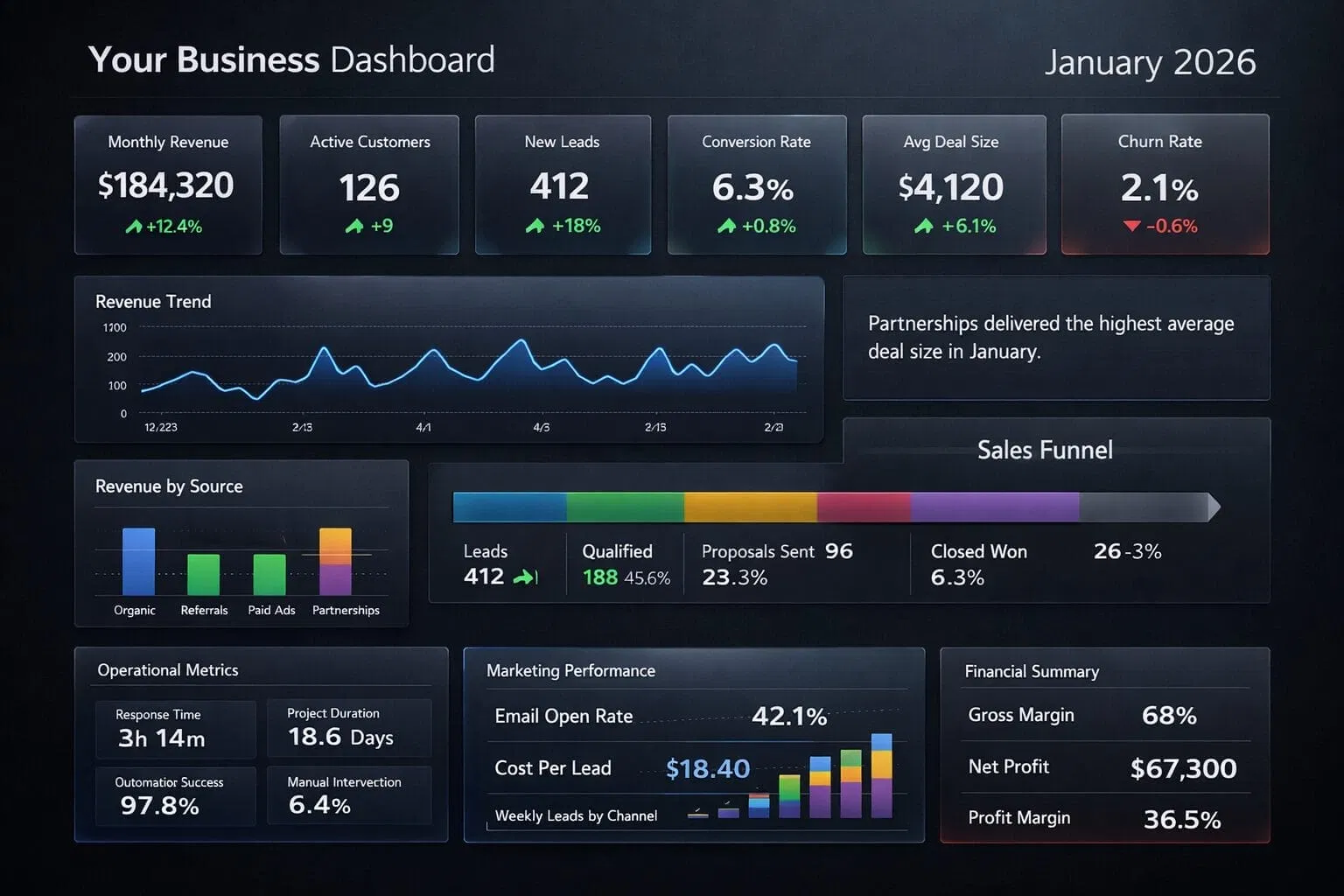
Optimization Checkpoints:
- Monthly Review: Are there new bottlenecks?
- Error Logs: Where is the automation failing? (usually due to an API change).
- Feedback Loop: Ask your team if the automation is actually making their lives easier or if it’s creating "shadow work."
If you find your current setup isn't delivering, don't panic. It’s often a simple fix. Check out our guide on 10 reasons your business process automation isn't working for a quick troubleshooting checklist.
Why Most Owners Fail (and How You Won't)
The biggest mistake Yaakov (Koby) Oranski sees owners make is buying the software before understanding the process. They buy a subscription to five different "AI tools" and then wonder why their overhead went up but their free time didn't.
Automation is about strategy, not just software. It’s about looking at your business as a series of interconnected pipes and ensuring the water flows without leaks.
By following these 5 steps, you aren't just "using technology": you are building an autonomous engine.
Recap of your 20-hour reclamation plan:
- Lead Management: 5 hours/week saved via AI-enriched CRM updates.
- Reporting & Analytics: 4 hours/week saved by automating dashboard generation.
- Customer Support: 6 hours/week saved through AI-powered FAQ handling and ticket routing.
- Invoicing & Admin: 5 hours/week saved via automated billing cycles and expense tracking.
Total: 20 hours.
Ready to get your time back? Whether you need a simple beginner's guide to workflow automation or a deep dive into custom software development vs. workflow automation, we are here to help.
The first step is always the hardest, but it’s the only one that leads to freedom. Let's get to work.
Simplify. Automate. Thrive.
Want to see how Yotomations can specifically help your business? Explore our automation consulting services today.
